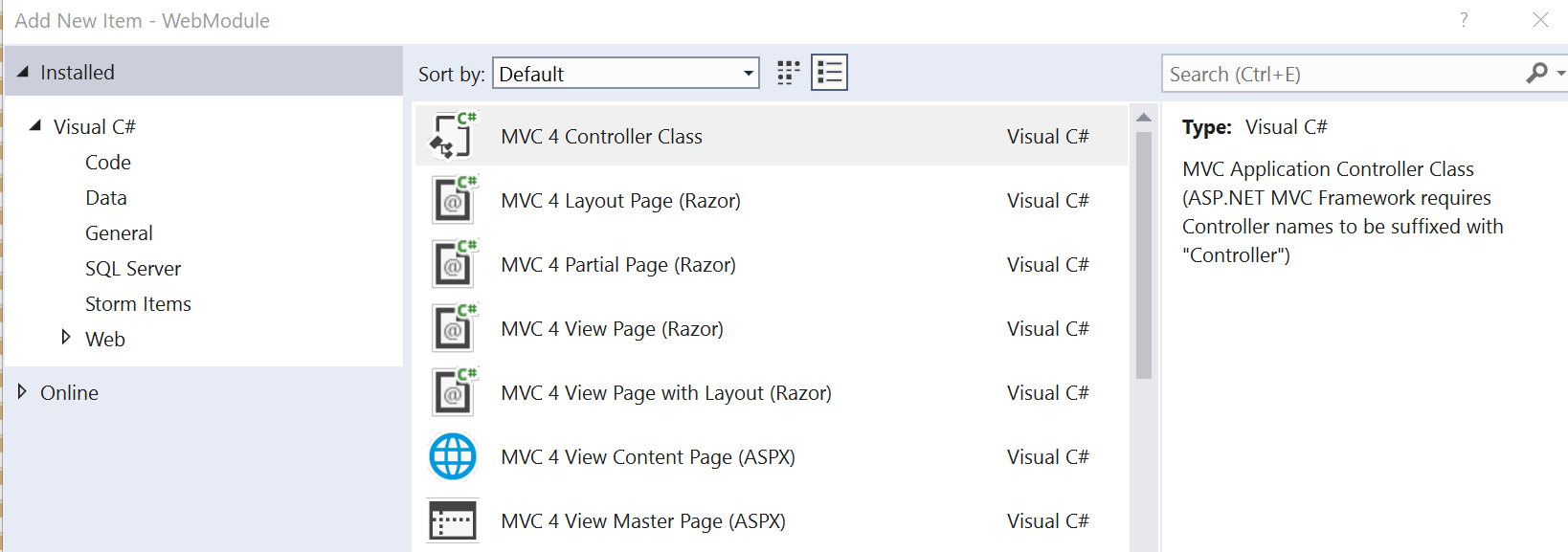
A Visual Studio Item Template allows us to generate new files with code, so that we avoid having to manually create them. This automatization is very practical when we need to create similar classes more than one time. A template is being offered as option in the “Add new item” dialog of Visual Studio:
When I map one object to another, I often deal with a destination object that contains LESS properties than the source object. If I take no action, an exception is going to be thrown. For that we will have to declare the skipped properties by using the DoNotValidate method when we define the mapping (CreateMap) between the two objects:
Automapper is a handful tool for mapping the properties of two different type objects together. Such mappings are very common when you are dealing with a multi-tier architecture in your program. For example you want to map the entity object, which contains data from the database, with the UI-model object of your WebApi action.
For basic mapping examples refer to the Automapper documentation. In this article we will consider the following advanced example:
Your entity model contains a property with a non-serialized string that you store in a table of your database
Based on some condition checking, you want to or do not want to deserialize this string and store it into a property of different type of your UI-model object
For that you need a mapping between two properties of different type and also a function that runs every time to do this transformation:
“The view XXXX or its master was not found” error looks like that:
"The view 'XXXX' or its master was not found or no view engine supports the searched locations.
The following locations were searched:
~/Areas/XXXX/Views/XXXX/XXXX.cshtml
~/Areas/XXXX/Views/XXXX/XXXX.vbhtml
~/Areas/XXXX/Views/Shared/XXXX.cshtml
~/Areas/XXXX/Views/Shared/XXXX.vbhtml
~/Views/XXXX/XXXX.cshtml
~/Views/XXXX/XXXX.vbhtml
~/Views/Shared/XXXX.cshtml
~/Views/Shared/XXXX.vbhtml"
and I recently had to deal with it, although I was 100% sure that my view was in the right place inside my MVC project.