Test .NET Core Web API FromBody and FromForm with Postman
Postman requires no introductions and plenty of resources about this tool can be found online. However, while testing I recently noticed, that the binding of JSON objects to C# primitive types or POCO classes is not documented in detail.
We are going to see different scenarios of binding while we test against a .NET WebAPI and try to answer the question “why my action is not getting called when everything is set up in Postman?”.
Create a new .NET Core Web project and pick the API template. You will get the standard controller with a number of actions which perform CRUD operations. We only focus on the POST operation and we test the following actions with Postman.
The demo POCO class
    public class TestModel
    {
        public string FirstName { get; set; }

        public string LastName { get; set; }
    }
Examples with POST and FromBody and FromForm
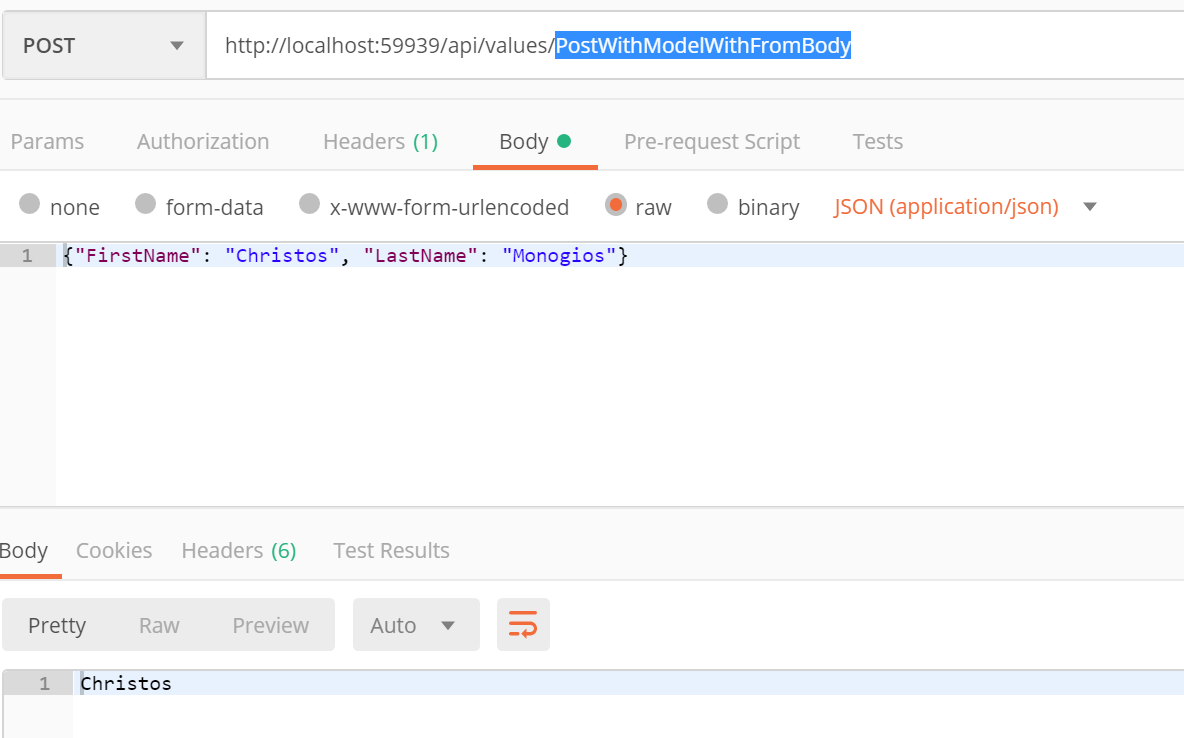
POST with FromBody
    [HttpPost]
    [Route(nameof(PostWithModelWithFromBody))]
    public ActionResult<string> PostWithModelWithFromBody([FromBody] TestModel model)
    {
        return model.FirstName;
    }
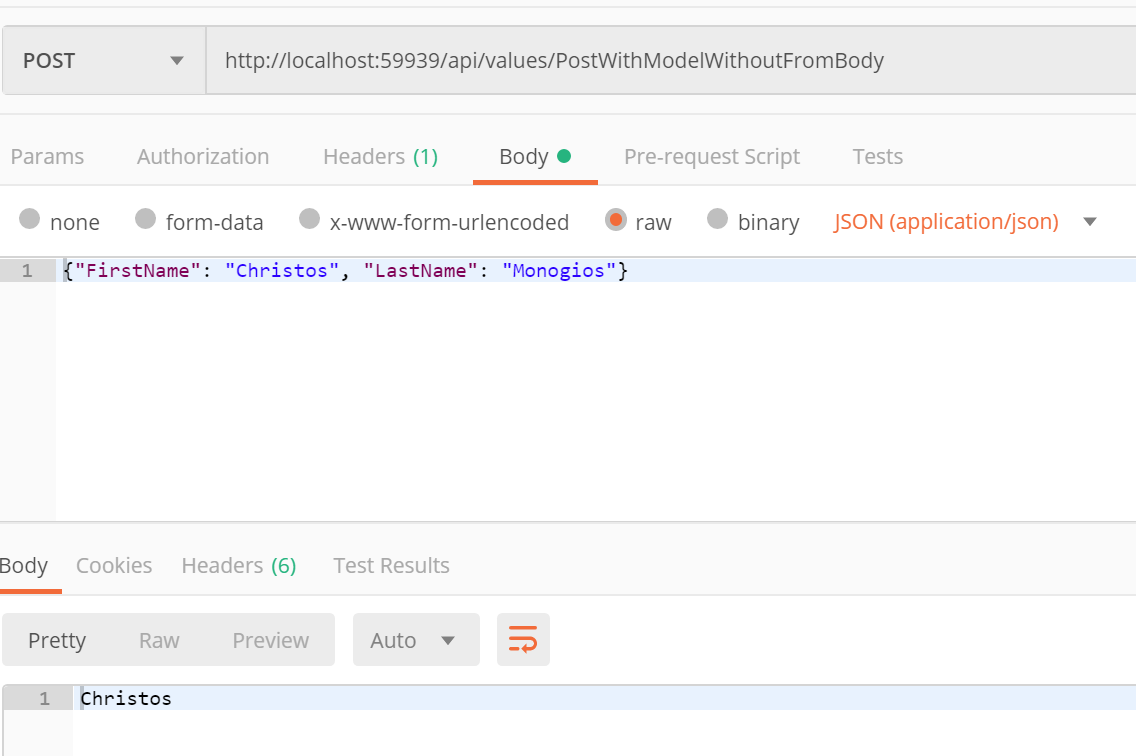
POST without FromBody
    [HttpPost]
    [Route(nameof(PostWithModelWithoutFromBody))]
    public ActionResult<string> PostWithModelWithoutFromBody(TestModel model)
    {
        return model.FirstName;
    }
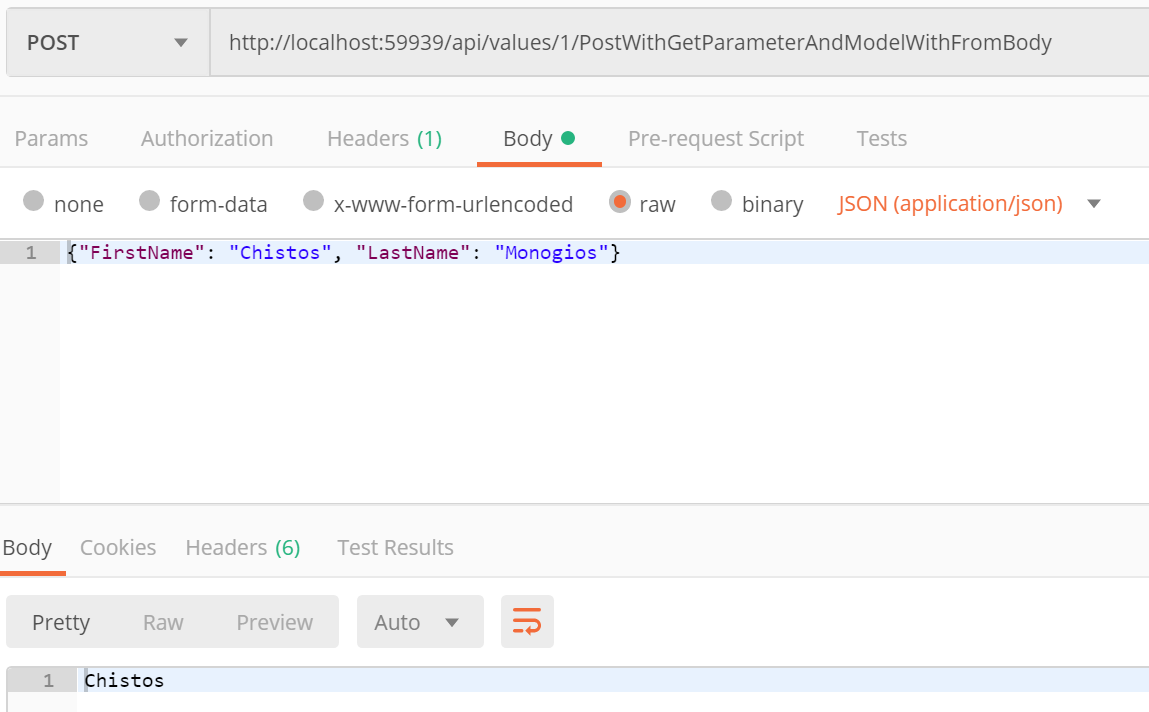
POST with parameter and with FromBody
    [HttpPost("{id}/PostWithGetParameterAndModelWithFromBody")]
    [Route(nameof(PostWithGetParameterAndModelWithFromBody))]
    public ActionResult<string> PostWithGetParameterAndModelWithFromBody(int id, [FromBody] TestModel model)
    {
        return model.FirstName;
    }
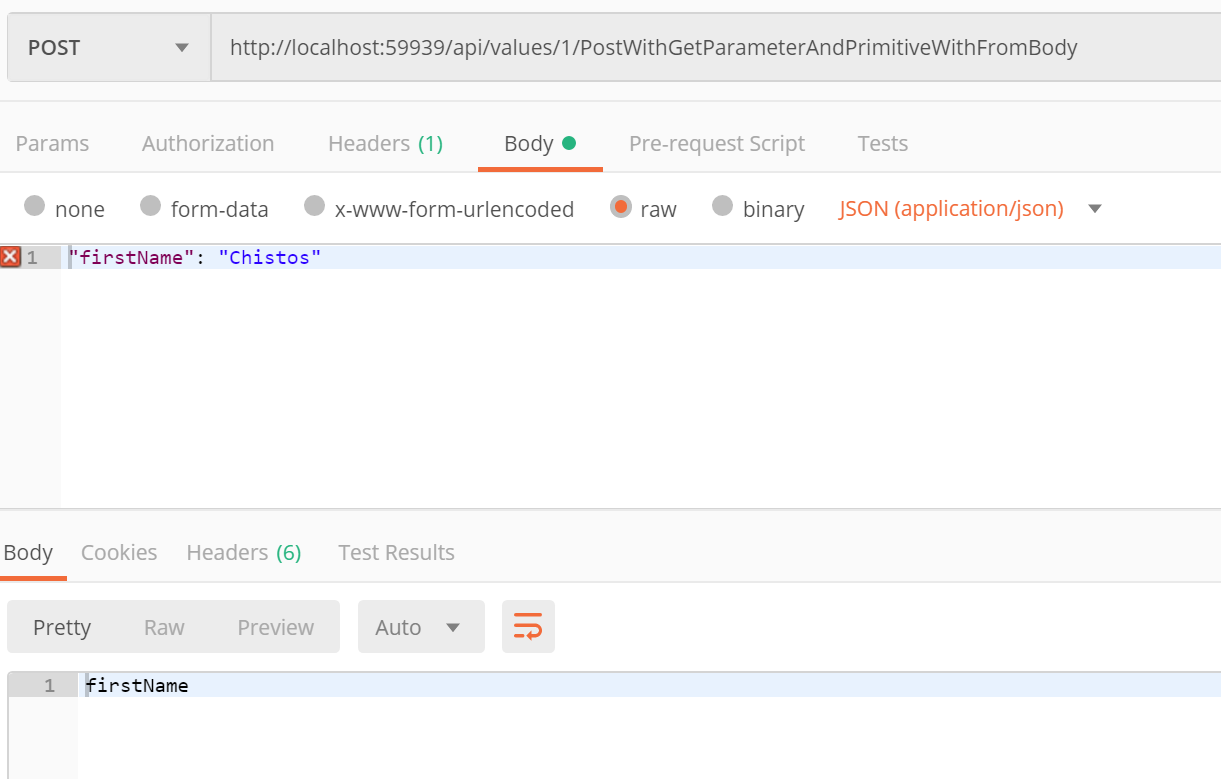
POST with parameter, primitive value and with FromBody
    [HttpPost("{id}/PostWithGetParameterAndPrimitiveWithFromBody")]
    [Route(nameof(PostWithGetParameterAndPrimitiveWithFromBody))]
    public ActionResult<string> PostWithGetParameterAndPrimitiveWithFromBody(int id, [FromBody] string firstName)
    {
        return firstName;
    }
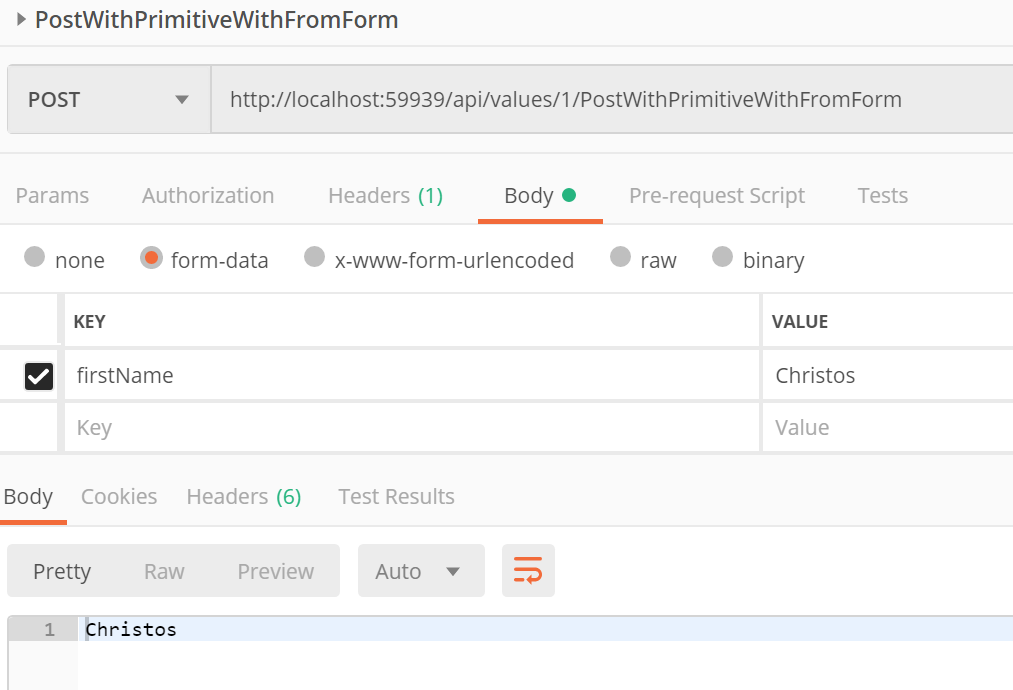
POST with primitive value and with FromForm
    [HttpPost("{id}/PostWithPrimitiveWithFromForm")]
    [Route(nameof(PostWithPrimitiveWithFromForm))]
    public ActionResult<string> PostWithPrimitiveWithFromForm(int id, [FromForm] string firstName)
    {
        return firstName;
    }
To conclude, here are the take-aways when using FromBody and FromForm:
- Use a valid JSON object to bind to
FromBody - The use of the
FromBodyattribute is optional. I personally suggest to use this attribute, since it clarifies how the binding is going to happen. If you have a primitive type with noFromFormattribute, then no binding will happen - Use the form-data Key-Value pairs in Postman when binding to the FromForm attribute
You can find the full project here on my GitHub account.
Drop me a line if you have any questions or remarks.