Fix 403 Forbidden errors between Logic Apps and Azure Functions
When calling an Azure Function from a Logic App, you might encounter a 403 Forbidden error with the response header x-ms-forbidden-ip. This happens when the Function’s networking rules block the IP address or the subnet of the Logic App.
The Solution
To resolve this issue:
- Go to your Azure Function’s configuration
- Navigate to the Networking section
- Click on the
Public network accessoption - Add a new Access rule to allow the Logic App’s IP or subnet
- Save your changes
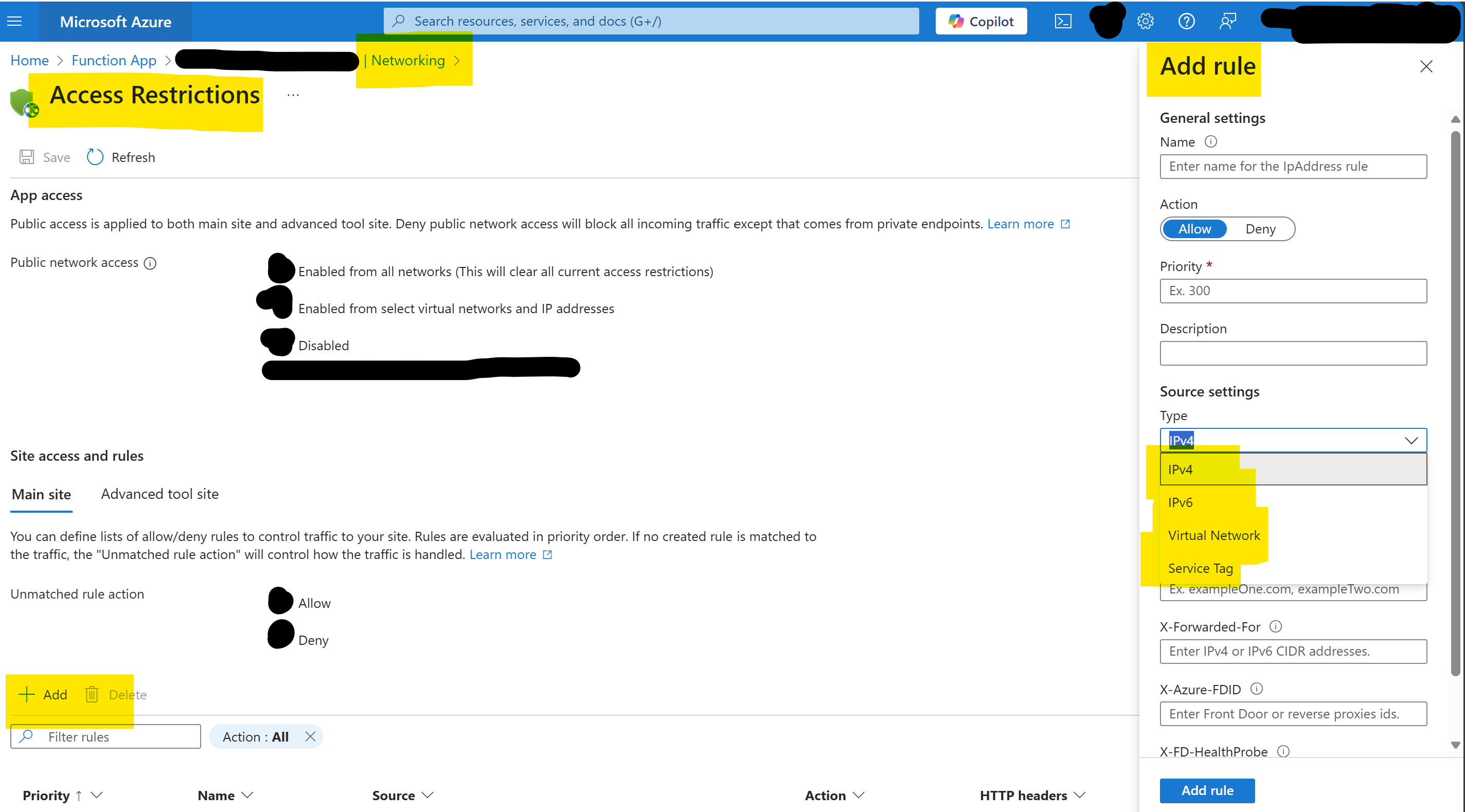
After adding the appropriate access rule, rerun your Logic App and the 403 Forbidden error should be resolved. The Logic App is now able to call your Function successfully.